
Business and personal travel in one app
For Employees:
How the Gaiyo app works
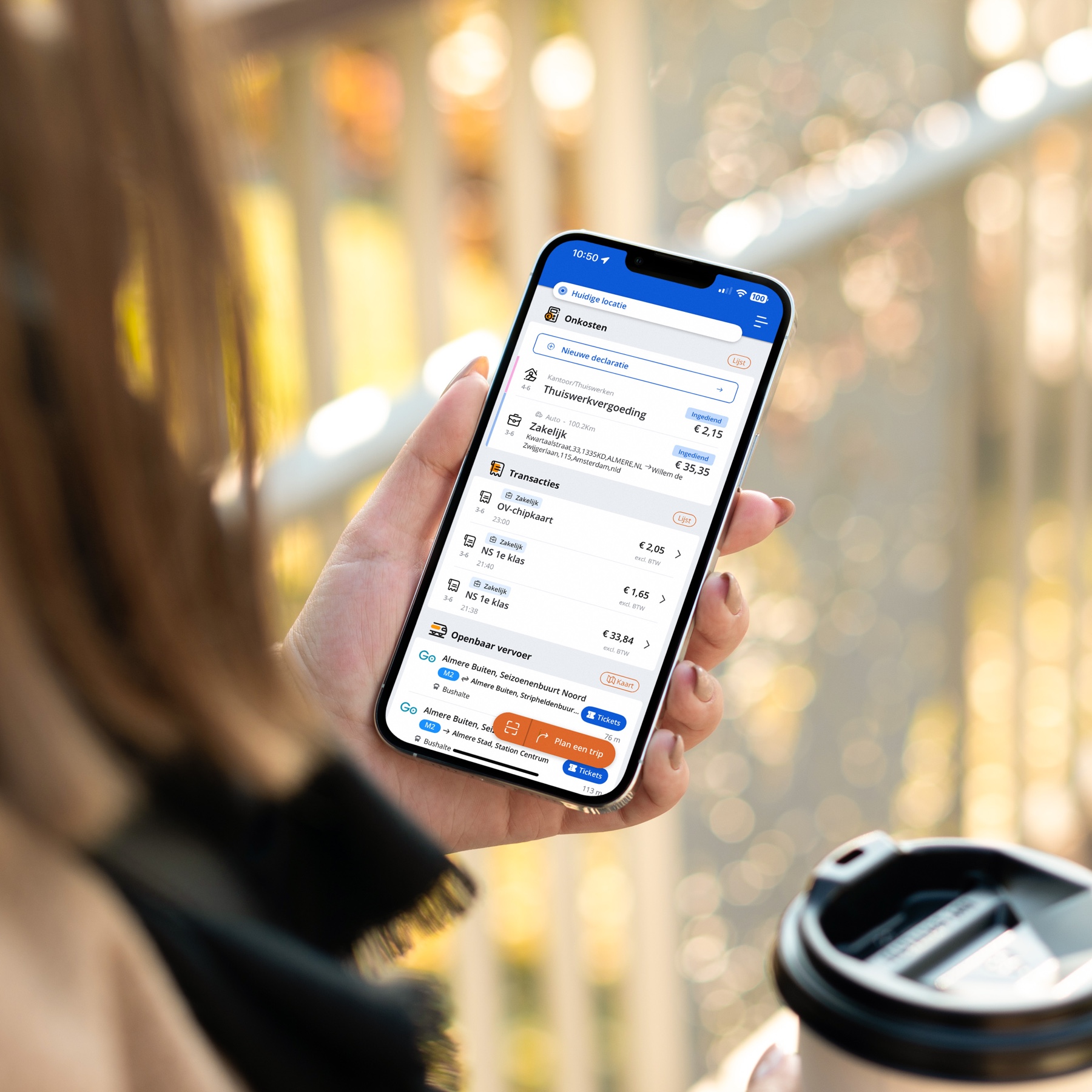
With the Gaiyo app, you can manage all your mobility needs in one convenient place. Easily plan and book your trips, register days you work from home, and have your expense claims processed automatically.
Business and private travel are effortless with the same app.
Travel & books
Traveling on all public transportation
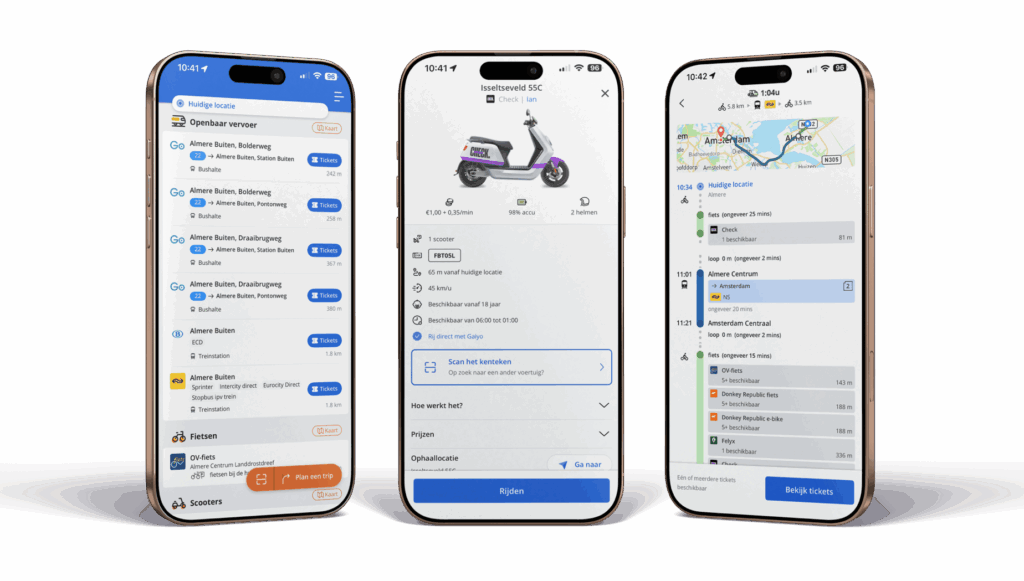
Book and pay for public transport journeys directly with the app using a QR code.
Shared mobility
Book (e-)bikes, scooters, and shared and rental cars.
Parking
Start and stop parking sessions via the app. Reserve a spot in affordable parking garages.
Refueling & charging (optional)
With the optional Gaiyo mobility card, you have access to virtually all gas stations and charging points in the Netherlands.
Comprehensive trip planner
With door-to-door alternatives for different modes of transport, using the available transport on your route.
Rights & upgrades
Some transportation or functions are only available if your employer has granted you the appropriate rights. You can see which rights you have in the portal. If you need something else, such as first-class travel or a taxi booking, you can request this from your manager. Depending on your organization’s policy, either the employer or the employee will pay the difference.
Expense claims & reimbursements
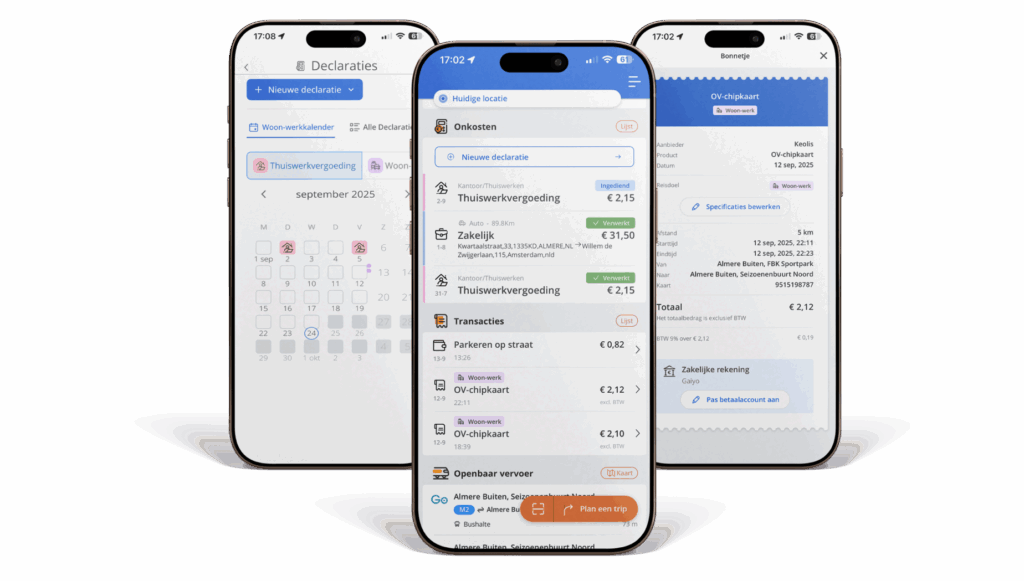
Automatic registration
Trips made with Gaiyo are recorded immediately and are visible in your overview.
Business or private
Simply indicate for each trip whether it is commuting, business, or private, or let Gaiyo determine this automatically.
Hybrid working
Easily record work-from-home days and commuting time with our weekly and monthly calendars.
Personal wallet (private)
You pay for private trips via your personal wallet; these transactions are privacy-proof and not visible to your employer.
Gaiyo App in practice
With the Gaiyo app, you can arrange your business and private travel hassle-free. Download the app today and log in with your work account. That same day, you can travel by train using a QR code or book a shared bike wherever you are. Expense claims? These are processed automatically, so you don’t have to fill in anything. You can easily pay for private use via your personal wallet, which is completely separate from your employer.
“I used to spend hours every week dealing with receipts and expense claims. Now everything is done automatically via the app. I can keep track of my travel, parking, and work-from-home days in a single overview. It saves me so much time and frustration!”
Frequently asked questions
How do I activate the app for business use?
You will receive an email from us with an activation link. Use this link to create your business account and you can immediately install and use the app.
Can I book and use all shared mobility options via Gaiyo?
Yes, the app supports all connected shared cars, (e-)bikes, and scooters. You can always use this for business purposes, provided your employer has granted you the rights to do so.
Can I also use the app privately?
Yes. When booking, select private and pay via your personal wallet. These transactions are completely secure and will not be shared with your employer.
What should I do if something isn't working or I get an error message?
Contact the Gaiyo support department via the help function in the app. Problems can often be solved immediately.
Do I need internet to travel with the app?
Yes, for planning and booking. If you have already collected a QR ticket, you can also show this without internet access during inspection.
Can I still edit expense claims myself?
Yes. You can correct incorrectly classified trips (e.g., business/private) retrospectively in your overview, as long as they have not yet been processed in an expense claim.
When will I see my costs?
You can immediately see what you have used via the App in your overview. We display trips made with the card as soon as we receive them, usually the next day. Expense claims are processed periodically by your employer.
More than just an app
With Gaiyo, you can combine the app with the mobility card and the employee portal for a complete experience.